

Technology improves the customer experience in retail by making inventory and order data available to store employees and customer channels through an API service layer. This allows a customer to receive current information during an interaction while existing ERP systems and daily store processes continue to function.
Retail technologies for an improved customer experience
The greatest improvement occurs when store employees and customers have access to the same current inventory and order information. An API service layer and timely inventory synchronisation make this possible without immediately replacing an existing core system.
- Current data reduces the likelihood of conflicting inventory and order promises.
- An API service layer on top of ERP systems makes relevant information available without system replacement.
- Mobile applications can reduce waiting times by enabling inventory reservation and payment closer to the customer.
- Poorly integrated technology increases workload and can actually slow down customer interactions.
How technology can improve the customer experience in retail
Technology only noticeably improves the customer experience when current information from existing systems is available at the moment of customer contact. A real-time API service layer on top of the ERP or core system can supply mobile store applications with inventory and order data that reflects the current situation, provided the underlying processes update this data in time. An employee can then show reliable information during a conversation without depending on slow batch exports or outdated snapshots. The core administration remains authoritative; the digital layer selectively makes existing data accessible for the customer interaction.
The processing of inventory changes then determines how credible a customer promise is. When an in-store scan quickly updates available omnichannel inventory, the online inventory status better reflects what is available in the branch. This reduces the likelihood that a customer comes to the store for an item or collection order only to be turned away empty-handed.
The operational boundary lies in practicality for the store team. If employees have to switch between multiple screens, logins or administrative applications during customer interactions, cognitive load arises. Technology then becomes a barrier to attention rather than a tool. Poorly integrated tools and unreliable hardware also increase workload, leaving employees with less room for the customer conversation.
Technology selection should therefore start with one specific customer moment and the data needed for it. The value of an API connection or mobile application does not lie in additional functionality, but in providing a usable answer or enabling a simple next action. This keeps the store process familiar to employees and gives the customer clarity more quickly.
Direct impact of technology on the customer experience

The direct impact of retail technology becomes visible when a customer expects a concrete answer: is an item available, can an order be collected, or can the purchase be completed here? Mobile sales and payment tools can bring that conversation to the customer on the shop floor rather than sending the customer back to a fixed service desk or checkout. However, customers primarily notice whether the answer and the action are correct; the device itself does not make the experience reliable.
Delayed synchronisation shows what happens when that foundation is missing. If the webshop and store ERP process inventory changes in batches, an online inventory status may already be outdated before the customer leaves for the branch. On arrival, the store employee still has to say no. The disappointment falls on the customer, while the employee must handle the avoidable questions and escalations at the counter. The challenge here is not the visibility of inventory, but the timely processing of the underlying change.
A mobile application that operates separately from central systems can quickly be made available on tablets. That speed has a clear downside when employees subsequently have to re-enter data manually. A custom API-based connection requires more development time, but can prevent a quick front end from becoming structurally dependent on duplicate work and different versions of the same information. The trade-off is therefore not only about the initial rollout, but also about the daily burden on the store team.
The same distinction applies to self-service. A kiosk placed as a standalone tool without a connection to underlying store processes can require constant human intervention if barcode scanners malfunction or error handling is unclear. Floor staff then shift from providing service to resolving disruptions. Queues can build up precisely where the facility was intended to save time.
A digital touchpoint is only useful when exceptions are also properly arranged. Consider an item that cannot be scanned, an inventory discrepancy or an order that cannot be handed over immediately. If employees can handle such situations within the same workflow, the customer journey remains clear even when exceptions occur.
Common problems with retail technology
Many problems with retail technology do not begin with the visible tool, but with the order in which decisions are made. An organisation may invest in interactive displays, kiosks or customer apps while a current product and inventory database is lacking. The digital front end then promises information that the back end cannot reliably provide. Customers and employees have to deal with outdated data, causing a tool intended to improve service to raise doubts about product availability or an order's status.
This pattern arises when the appeal of a new customer touchpoint outweighs the data flow behind it. A screen can display a product, but it does not solve the fact that inventory may already have changed elsewhere. An app can show an order status, but does not make that status credible if the source data is not current. The problem is therefore not that technology is visible, but that a gap emerges between what the customer sees, what the employee has to explain and what the systems record.
A second pattern is the emergence of isolated technology islands. Point solutions purchased through marketing or management without alignment with the IT architecture can burden employees with multiple devices and separate work steps. Orders then have to be manually compared or corrected. Instead of one continuous workflow, a series of handover moments emerges in which information must be reviewed, entered or checked again. This takes time during busy periods and makes it harder to speak to customers with confidence.
The choice between full automation and human-supported technology also deserves a business-focused assessment. Fully checkout-free concepts require major investments and may cause customers to feel they are losing control. Supported service with mobile devices keeps the employee present at the interaction point. This is not an argument against automation, but a distinction between a solution that tries to remove processes from view and one that enables the existing team to act more effectively.
For store organisations, the risk therefore lies in the wrong sequence: first a digital storefront, then only afterwards the data and processes on which that storefront depends. Even several well-intentioned tools can collectively become a problem if they do not share a common information base. The customer sees only the end result: an employee who has to search, correct or fall back on another route.
Practical applications of retail technology
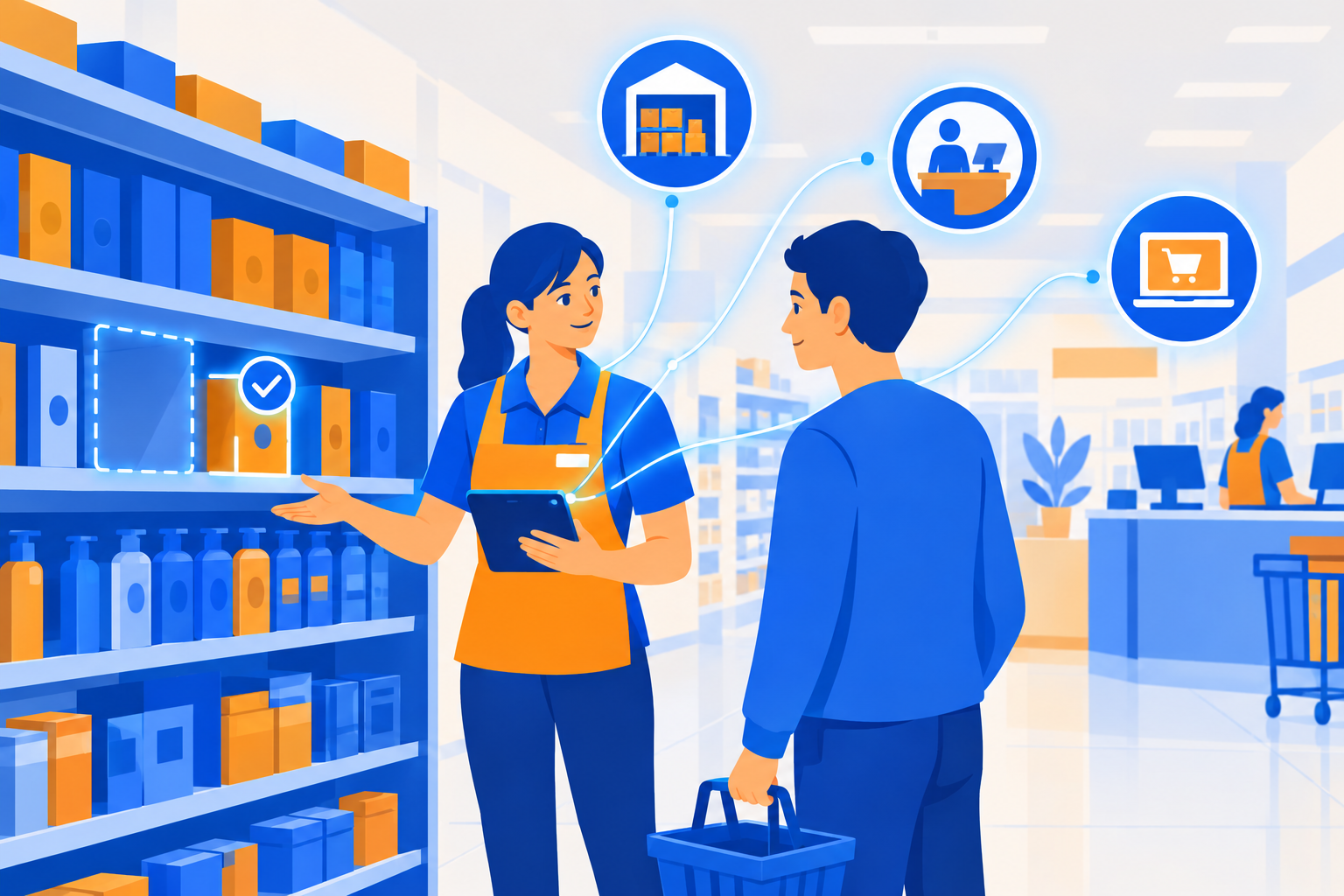
A practical application starts with a specific disruption in the customer interaction. Consider a situation in which an employee sees at the shelf that an item should be present according to the system, but cannot physically find it. If checkout, warehouse and webshop data are not updated in time, information asymmetry arises between the shelf and the system. The record suggests inventory, while the item is actually missing. The employee searches longer, the customer waits longer and the store operates with phantom inventory. An application that brings together current data from these sources therefore does not focus on an additional digital channel, but on reducing searching and uncertainty during the conversation.
Mobile applications for store employees can add value at another moment: when pressure at the checkout increases. Through a responsive mobile interface, employees can reserve inventory or complete a payment in the aisle. This relieves the physical checkout, and the customer does not necessarily have to wait until reaching a fixed payment point. This form of assisted service only works when the mobile action connects to inventory and the relevant fulfilment through API connections. Otherwise, it creates a second workflow alongside the checkout rather than an extension of it.
The practical design choice is therefore which action truly removes time or uncertainty. A broad suite can offer many functions, but can also slow down actions on the shop floor. A focused, lightweight application can instead respond quickly to one recurring moment, such as inventory reservation or completing a payment. On the other hand, several specific solutions require management of the interfaces between those solutions. The choice is therefore not a contrast between large and small, but between the speed required on the shop floor and the manageability of the connections behind it.
Reliable inventory data also has financial significance. When a customer cannot obtain a desired item, this can lead to a missed sale and undermine trust in the inventory display. The size of that effect varies by retail format, product category and situation. This is precisely why a reliable inventory display is more than an operational tool: it prevents employees from having to correct an inaccurate expectation.
A workable application connects a customer moment to one reliable data source and one clear action for the employee. At the shelf, this may mean verifying availability. During busy periods, it may mean reserving or checking out away from the fixed checkout. The starting point is not more technology on the shop floor, but less unnecessary searching, waiting and correcting.
Key considerations for retail technology
When implementing retail technology, the focus is on the relationship between customer experience, integration and operational risk. The following considerations help introduce new tools without unnecessarily disrupting the shop floor:
- Map hidden process workload. Employees lose time when they have to search for inventory that is incorrectly recorded or when they have to check information across multiple systems. Technology that provides current inventory visibility therefore affects not only the customer experience, but also staff availability.
- Be transparent about inventory promises. Displaying local store inventory online immediately can encourage branch visits, but it carries the risk that items already in shopping baskets are still claimed. This requires a conscious choice of safety buffers or live reservations, so that the customer promise and inventory logic align when online and physical store interactions come together.
- Limit risks through phased integration. An API layer alongside existing core systems can make it possible to add new technology without immediately intervening in checkout or store processes. The extent to which this succeeds depends on compatibility, management procedures and the way the connection is implemented. Therefore, test in advance how the solution behaves while store processes continue to run.
- Test technology in practice with clear acceptance criteria. An iterative pilot approach with pre-agreed acceptance criteria helps make risks visible. Only when an application works reliably under real store conditions does a substantiated basis for further rollout emerge. This makes rework, additional pressure on staff and unclear inventory promises easier to identify earlier.