

A new application should not write data directly into production tables of a legacy ERP, but should have changes processed through the existing ERP business rules, a documented interface, or a validated staging path. By write-back, we mean every route through which a new application changes data in the ERP, whether that route uses an API, staging table, or database. Direct database access is appropriate only for strictly scoped reading; write-back is defensible only when the ERP validates and finalizes the input itself.
Key points: write-back to a legacy ERP
The choice of write-back concerns ownership of rules, continuity of the ERP process, and traceability of changes, not merely the technical accessibility of tables.
- Keep read and change permissions technically separate: a read path requires limited permissions, while changes require a controlled ERP path.
- Keep the ERP responsible for validations and process rules when the change affects financial data, inventory, orders, contacts, or other administrative records.
- Assess concurrent use and maintainability: direct writes can block active ERP processes, and dependencies on internal tables can complicate upgrades or patches.
- Require every change to be traceable at entity level to an individual user and session, rather than only to a shared technical account.
Reading from a legacy ERP is different from writing data back
A new application can query data directly from a legacy ERP without changing a single business record. Writing back is a different class of integration: the application then affects a system that already has its own processes, controls, and responsibilities.
For read-only access, direct database access may be appropriate, for example for catalogues or current delivery times. Limit that access to a strictly read-only account or a read replica. The new application must not receive permissions allowing it to change tables. Querying itself must also not interfere with users' transactions in the ERP. Indexing and the selected read path partly determine whether users are affected by the integration during their daily work.[1]
That distinction prevents misleading reasoning: if an application can read data, writing often appears to be just an additional database operation. In reality, writing changes the ownership relationship. When reading, the ERP remains the source from which the application obtains information. With write-back, the new application affects inventory, orders, contacts, financial data, or other administrative records. It must then be clear which checks the ERP normally performs before a change becomes final.
Therefore, before designing the solution, establish which data the new application only displays and which data it may actually change. Make that boundary technically visible through separate accounts and access permissions. An account for reading should not quietly grow into an account that later lets the same application modify production tables.
In addition to technology, the formal environment may limit the permitted route. Where auditability, ISO certifications, or vendor-support agreements must remain valid, changes outside the official application layer may affect support. A visible database and available login credentials therefore do not prove that production tables are a supported integration point.
Document the read path separately and, for every intended change, record which ERP documentation, transaction logic, and operational conditions support the chosen route.
Why a working database write can still cause problems
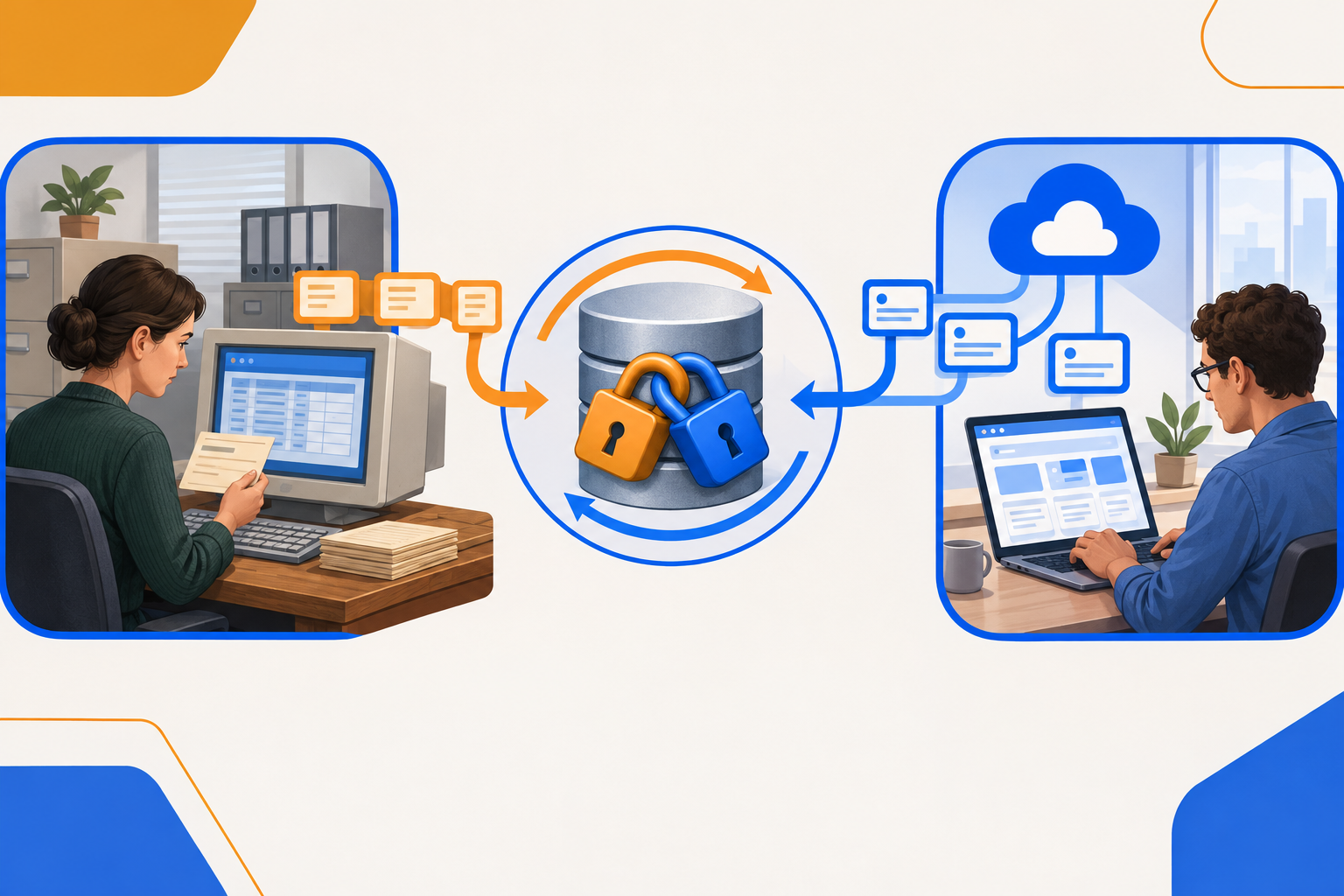
A database write that works in a test environment does not prove that it is sustainable in day-to-day ERP operations. The new application and active ERP users may access the same database simultaneously, but according to different working patterns.
A modern web application often processes multiple stateless requests in parallel. By contrast, an older ERP with desktop clients may use pessimistic transaction locks while employees edit records. When both systems access the same data concurrently and their locking strategies do not align, ad hoc table locks from the new application can conflict with existing locks. This can cause lock contention: processes wait for each other. In an unfavourable transaction sequence, deadlocks can also occur, with processes blocking each other.[1]
This risk is not limited to major bulk processing. Even a small change can affect an existing process when it occurs while an employee is processing the same data. The database does not distinguish between a convenient addition from a portal and an action already initiated by the ERP client. It sees competing transactions requesting access to related data.
A direct write often gains momentum due to time pressure. The route seems fast because the table is visible and the new application can save data directly. If that integration is approved as a temporary bridge, the planned official integration may later be dropped. The temporary shortcut then remains operational while the ERP, the new application, and the data model continue to change.[2]
This shifts the question from “does the write work?” to “who maintains this dependency when daily usage changes?”. An integration that initially handles one form may later gain more users, more changes, and more exceptions. Yet the original workaround often continues to rely on the same direct table write.
Therefore, before go-live, identify which ERP clients are active, which data they hold during processing, and when the new application sends changes. For a temporary route, also set a hard end date and a replacement path, so a rapid delivery does not quietly become a permanent source of blockages.
When may write-back only go through a validated ERP path?
For write-back to a legacy ERP or CRM environment, the technical boundary is not whether the new application can reach a table. The write must enter through a vendor-documented interface or staging table, after which an internal ERP task validates the record and finalizes it according to existing business rules. Only then is direct submission technically defensible: the new application supplies input, but the ERP itself decides whether that input becomes a valid change.
A staging table is not a disguised production table that the application may write to freely. It is a controlled submission point. Internal processing determines which fields are accepted, which relationships between values are required, and when a record may flow into the ERP's own tables. This keeps processing dependent on the same rules as a change performed within the ERP. Without that internal step, a technically accessible table is still not a supported update path.
This distinction prevents the new application from having to reconstruct what the ERP normally handles. Price and discount matrices make this especially clear. When the development team rebuilds such validations locally, two separate versions of the same rule exist: one in the ERP and one in external code. An Anti-Corruption Layer (ACL) can shield the external application from internal ERP structures, but it does not take ownership of ERP rules. An ERP administrator may then adjust a matrix without the application being updated at the same time. The application will then assess a change using an older rule set, while the ERP now expects different outcomes.
This divergence does not arise only during a major revision. Every change to a local copy requires alignment on content, timing, and release across both systems. Unless that alignment is demonstrably part of management, the likelihood grows that a portal or workflow believes it is supplying valid input that no longer matches current ERP processing. The problem therefore lies not only in the write itself, but in the ongoing dependency on custom logic that must be maintained alongside the ERP.
The test for a write-back path is therefore specific: is the interface or staging table documented in the ERP documentation, and does an internal ERP task process submitted records before they become final? If either is missing, a custom implementation emerges that must copy or bypass ERP rules. This is precisely where a permanent maintenance burden arises when the original rules change.
Where do the business rules belong: in the ERP or in the new application?
The architectural choice is not only about where validation can technically run, but also about who changes a rule when the ERP process changes. The comparison below makes that ownership testable before custom work in the new application creates a second management path.
| Assessment point | Business rules in the new application | Routing through existing ERP interfaces |
|---|---|---|
| Application autonomy | The new application can perform local validations and decisions and determine its own screen and process flow. However, that freedom means the team must establish which ERP rules it takes over, who maintains them, and how changes are coordinated. | The application submits data within the capabilities of the existing interface. This limits the freedom to structure the front-end process differently, but leaves assessment of the change to the ERP. |
| Changes to rules | A change in the ERP also requires an adjustment and review in the new application. If those two changes are not managed together, the previously discussed rule divergence arises: the same input may be assessed differently in both systems. | The rule remains managed in one place. The new application does not need to recalculate the outcome, but depends on what the interface can submit and process. |
| Limits of an older interface | Local logic can cover functions that the interface does not make available. However, the application then also takes responsibility for rules that originally belong to the ERP. | A central source of truth works only for changes that the interface actually supports. Therefore, investigate in advance whether the required action is available through that route; a limited interface does not indicate that the same processing can safely be recreated outside the ERP. |
| Assessment before write-back | Use a Proof of Concept with your own data to define which local rules and exceptions the application would need to carry. Make visible whether that ownership remains manageable after future ERP changes. | Also start with a Proof of Concept using your own data, followed by read-only access. Only then add controlled write-back: submitting a change through the selected ERP path. Define acceptance criteria and a fallback scenario in advance for cases where processing does not meet those criteria. |
| Decision question | This route is appropriate when the new application demonstrably owns the relevant rules and dual management is deliberately arranged. | This route is appropriate when the ERP remains the owner of the rules and the available interface can process the required change. |
Choose the update path based on the data you change
Use the type of change as the first selection criterion. The consequences differ by data type; therefore, define for each change type which validated path is available and who manages processing.
- Classify the change first. Make a list of the data the new application intends to change. Distinguish between information that is only displayed and information that changes a record in the ERP. This step prevents a technical connection from automatically being seen as permission for every change.
- Route business-critical data through the ERP path. If updates affect general ledger accounts, current inventory levels, debtor statuses, or tax transactions, write-back must go through existing ERP business rules or API integrations. For this category, that route is a hard boundary. The new application must not directly modify the underlying production tables, even if the table structure is known.
- Investigate what a direct integration relies on. Record which tables and fields each SQL integration uses. Undocumented tables and field structures are not a stable contract between the new application and the ERP. The integration then knows the internal form of the database, but not the ERP's promised integration route.
- Make schema dependency visible before an upgrade. During a schema migration, a vendor may change tables or fields. A directly integrated portal may then suddenly break. If that portal is operationally necessary, the organisation may postpone a regular ERP upgrade or security patch until the integration is restored.[1][2]
- Assess the recovery question. Establish who investigates the integration when a schema changes and how the portal functions while a fix is not yet available. When an interface is temporarily unavailable, a Circuit Breaker Pattern can prevent the application from continuing to call that route without limits. Without recovery agreements, the risk shifts from a technical dependency to daily operations: a necessary ERP change remains pending because an external component depends on it.
- Document the chosen path for each change type. For every write, record whether it proceeds through an existing business rule, an API integration, or not at all through the new application. For repeatable requests through a suitable interface, use Idempotency Keys so retransmitted requests can be treated as the same change. That list makes the distinction visible between a permitted integration and a collection of exceptions that rely on internal tables.
Frequently asked questions about access rights for ERP write-back
Access rights determine what the new application can technically do. Keep those rights smaller than the total authority required by an administrator.
- Why is a fully administrative database account unsuitable for an external application?
An external application generally has a limited task: reading data or submitting a limited group of changes. Full administrative access, such as dbo or sa permissions, goes far beyond that task. It gives the application permissions that are not needed to perform the integration. This blurs the boundary between normal integration logic and a broad database administrator. - What does least privilege mean in this situation?
The Principle of Least Privilege means that the application communicates only through strictly limited API endpoints or read-only database access. It therefore receives only the access appropriate to the specific action. Full administrative database access does not belong in this pattern.[3] - Is read-only access also a reason to grant broad permissions?
No. Read-only access remains a separate, limited access path. Do not give a query account write permissions just in case a later extension might need them. If the new application later needs to write data back, that requires a new assessment of the change and the available ERP path. - What if a limited interface does not make all data available?
A missing field or limited operation is not an automatic reason to switch to administrative database accounts. It shows that the desired functionality falls outside the current integration boundary. A choice must then be made: limit the requirement, investigate a suitable ERP path, or organise responsibility for that data differently. - Who determines the permissions?
For each integration, establish which application, which action, and which data belong to the access. This description makes it testable whether a permission still fits the original task. Without such a boundary, additional permissions can accumulate while nobody can still explain why they are needed.
A sustainable update path shows who performed each change
The final test for an update path is not whether data appears in the right table. The test is whether you can determine, for each entity, which individual user caused a change through which session.
An audit trail at entity level records that relationship. It links a change not only to a technical process, but to a user identity and a session. This makes visible who submitted or confirmed an order, inventory record, or other registration. Non-repudiation concerns the same distinction: a change is traceable to a specific action, not merely to a shared technical account.
This difference becomes apparent as soon as a change is disputed or proves to be incorrect. An anonymous database service account can show at most that an integration had access. It does not show which user initiated the action, from which session the data originated, or which human action preceded the change. Investigation then begins with reconstructing indirect indications.
With a traceable change, the investigation can start much more directly. You can examine the relevant entity, user, and session together. This does not automatically make every error easy to correct, but it limits uncertainty about its origin. The question of who may make a correction also becomes clearer when it is clear which change is under investigation.
This test prevents an integration from being assessed only as a data flow. An integration can technically move records and still be insufficiently manageable when the origin of changes disappears behind one generic account. The costs of recovery then lie not only in technology, but also in investigation, stalled processes, and possible financial corrections.
Therefore, configure every update path so that a disputed change can be traced at entity level to an individual user and session, rather than ending with an anonymous service account.
Compare the selected update paths with your ERP process
Compare your specific ERP integration question with the change types that the new application or portal must perform. Map the available interfaces and current process rules, including those not directly visible in the database. Discuss this with Shazzoo BV before development work is finalised, so it is clear for each update path which route should be investigated within your ERP or CRM environment.