

A mobile app must safely, practicably and controllably support one clearly defined mobile task within fixed boundaries for device access, data, network connectivity and compliance. Select features only when they are necessary for that task, use only permitted data and retain the required control and traceability; first determine the constraints and backend capabilities, then assess one small workflow against a predefined benchmark.
In brief: goals and features for a secure mobile app
For apps with stringent security and compliance requirements, security, data minimization and control are not wishes on a backlog, but conditions that define the scope.
- Determine in advance what the device, management regime and network coverage allow; this context determines which mobile actions and data can be handled responsibly.
- Focus the first version on one recognisable task away from the desk, rather than moving a complete desktop process onto a small screen.
- Determine which data the app truly needs for each task and ensure the backend can deliver that data in a limited and controlled way for each role.
- Weigh offline continuity against local data retention: working without a connection requires temporary, secure storage; working online limits what is possible when coverage is lost.
- Expand only after the first workflow demonstrably works against a concrete benchmark and remains secure enough without forcing employees into uncontrolled workarounds.
Which constraints determine the scope before features are selected?
The device context and network coverage first determine which data and workflows can responsibly be handled on mobile. In an organisation with stringent security and compliance requirements, these conditions form hard boundaries for the scope, not preferences that can be ranked alongside user needs.
- Define which devices may run the app. In a BYOD context, the organisation cannot control the OS patch level itself. This affects which data may be stored locally and whether strict application containerisation is necessary. The starting point may differ for managed devices, but it must still be determined in advance which data and actions are permitted on the device.
- Assess coverage for each work situation. Variable or absent network connectivity requires an explicit choice for each workflow: strictly online operation without local data retention, or offline operation with secure local storage and local key binding. The chosen option directly determines which actions users can perform while travelling or on site.
- Assess hybrid requirements against the same boundary. A workflow may only need to support certain steps without a connection, but even then it must be clear which data is temporarily present on the device for that purpose. Without that definition, offline functionality can quickly become a general wish while the implications for local data have not been established.
- Place constraints above stakeholder preferences. A department may consider a feature desirable, but that feature should not receive the same priority as agreements on device management, local storage and connectivity. Only after these conditions are established can you assess user requirements based on their contribution to the defined mobile task.
The app supports goals, not a collection of screens
Based on these constraints, you choose one mobile task that the app must demonstrably support. Additional features are considered only when that task works within the defined boundaries.
Treat the mobile device as an endpoint that is not inherently trusted. This means governance and security requirements are not preferences that can later give way to extra screens or shorter input. They determine what the app may receive, display and perform. This aligns with mobile verification requirements relating to, among other things, storage, network communications and authentication.[1]
Keep the initial scope small enough to assess. For one use case, define in advance what outcome counts, such as less time for a defined action or fewer input errors. This benchmark is not a promise of results. It makes clear whether the chosen workflow actually works before additional features expand the scope. An iterative approach keeps the discussion focused on the task rather than a wish list of screens.
Include the backend at this stage as well. A polished mobile interface cannot compensate for a slow legacy API or authorisation that does not sufficiently distinguish between roles and data fields. The mobile app remains dependent on what the underlying systems can provide in a controlled manner. REST API design rules specifically focus on a uniform and interoperable connection between client and backend.[2]
In this way, the initial mobile scope follows from a concrete task, a verifiable benchmark and a backend that can limit and deliver the required data by role. A feature that does not contribute to this does not yet have a demonstrable place in the initial mobile scope.
Why a mobile copy of the existing system gets stuck
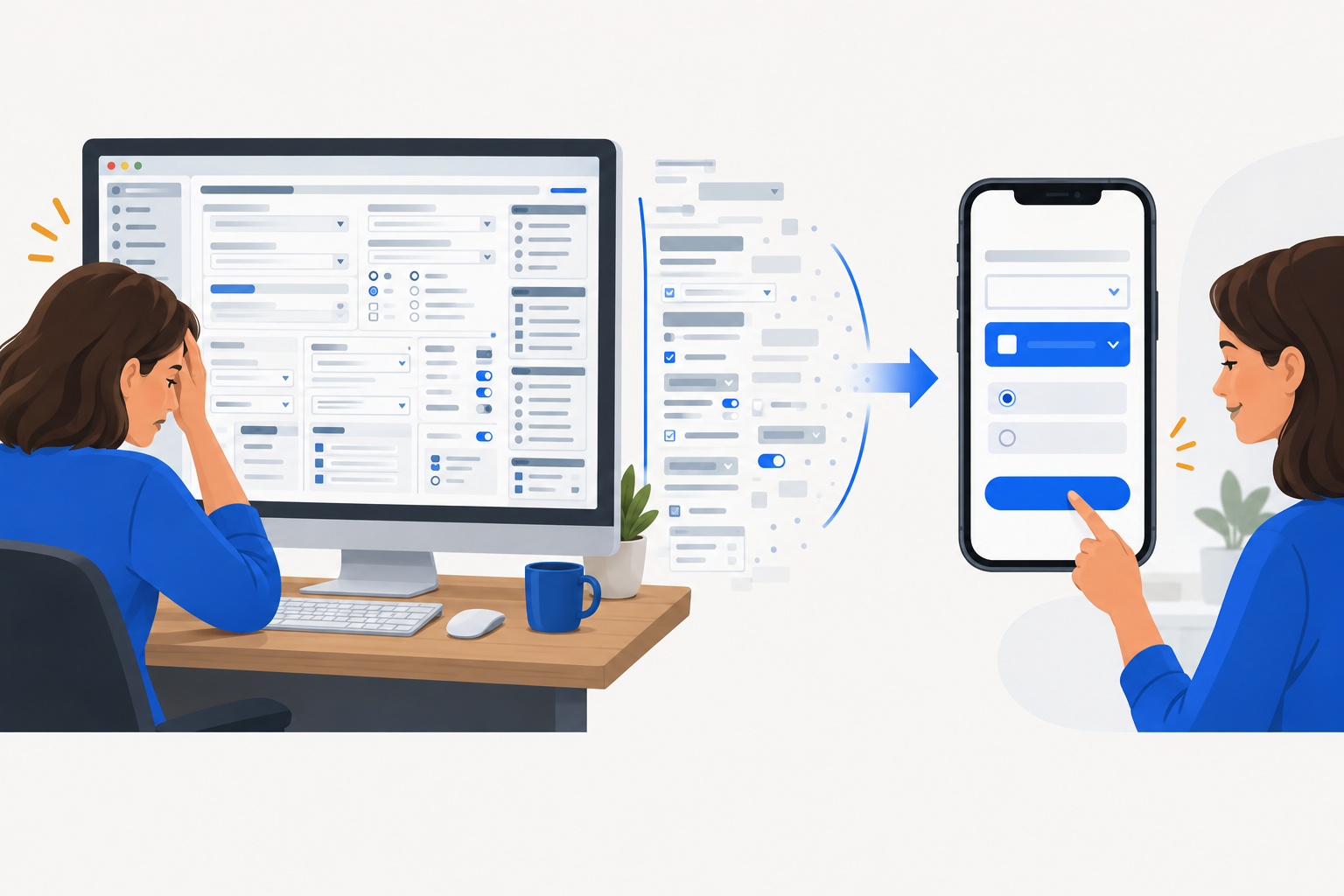
A mobile app becomes unworkable when a complete desktop process is moved to a small screen without selection. The initial scope should therefore support a targeted action, not a mobile copy of an ERP or EHR environment.
- A desktop screen is not a mobile workflow. Complex ERP and EHR screens often contain many fields, exceptions and steps for different roles. A full translation to mobile can result in dozens of input fields that are not needed for the selected action. The user then has to search, scroll and enter data while the mobile moment may only concern one decision or registration. Therefore, first determine which action takes place away from the desk and which information is truly required for it.
- Limit the task before discussing screens. For each field, ask what the user does with it during that mobile action. If the field does not support a decision, check or registration, it does not automatically belong in the first mobile flow. This is not a judgement on the existing system. It distinguishes between the full administrative context and what someone needs to be able to do on mobile at that moment.
- Involve security and compliance before the design is fixed. When these roles are involved only just before a release, questions about tokens and session management may emerge only after the workflow and integrations have already been developed. A change then affects not only a screen, but also the selected access method and data flow. The mobile verification standard addresses authentication, network communications and data storage as separate security areas, among other topics.[1]
- Make the assessment concrete early on. For the first mobile task, define which access is needed, which data becomes visible and which action must remain verifiable. This gives security and compliance officers something specific to assess, rather than a broad app concept with ever more exceptions.
From use case to features: data and control first, then screens
Once the mobile task has been selected, the data flow becomes the practical criterion for selecting features. Work from the task and permitted data towards the actions the app must provide.
- Limit the task to one recognisable outcome. Describe who performs the mobile action, when it takes place and which outcome must be recorded in the central process. This creates a concrete basis for assessing whether each field is truly necessary.
- Classify every required data field before populating the mobile client. The compliance framework determines which data may leave the central backend. The client therefore receives only fields permitted for this task; a screen design must not expand that boundary after the fact. A uniform connection to the backend supports this definition.
- Define the required control alongside the user action. Under a stricter oversight regime, central action logging and demonstrable traceability may outweigh the shortest possible interaction. The workflow must then not only process the result, but also record which action was performed through the mobile app.
- Use one admission rule for features. A proposed feature remains in the initial mobile workflow only when it is needed for the selected task, works with permitted data and retains the required control. If any one of these three conditions is absent, the feature does not belong in this scope.
When are offline operation and direct backend exposure not suitable?
Online-only is suitable when data must not remain on the device and the organisation can accept that the mobile task is available only with a network connection. The app then stores no data for later use on the device. This limits what users can do when coverage is lost, but also prevents sensitive data from remaining available locally. The security of both the mobile endpoint and the data connection requires separate attention.
Offline operation may be suitable if continuity is essential when coverage is unavailable. The offline workflow then temporarily processes data on the device that would otherwise be available only centrally. This requires secure local storage and an explicit retention policy, for example deletion when the session ends or after a policy-defined retention period. Offline operation is therefore not a standalone user feature, but a choice with consequences for data processing on the device.
Exposing raw database views directly can speed up the initial build, but quickly gives the mobile app access to more data than the task requires. A specific API layer limits server-side which data the app receives. This keeps data minimisation part of the connection to the backend, rather than a restriction that exists only in the screen design. The additional development effort prevents speed in the initial delivery from resulting in an overly broad data flow to mobile devices.
A defensible scope allows only necessary actions
An initial mobile scope does not become stronger by adding more desired features. It becomes defensible when the smallest usable workflow demonstrably remains within the agreed boundaries for access, data and control. From the design stage onward, link security by design to an explicit threat model and a formal assessment against relevant guidelines, such as OWASP MASVS and guidelines for mobile equipment.[1][3] This creates an assessable conversation about what the workflow may and may not do, without pretending that a standard itself establishes compliance.
Such a threat model also makes technical controls more concrete. For example, do not include network communication merely as a requirement, but assess whether Certificate Pinning continues to work correctly under the intended error and update paths. A control that works only in the normal situation provides little assurance for the mobile workflow.
However, that limitation must not obstruct daily work. If a mobile workflow is so rigid that employees cannot perform their task, they may turn to private channels, screenshots or paper-based intermediate steps. This makes the data flow harder to control and can create additional manual work. A usable initial scope therefore brings together three things: a defined task, limited data and a method of working that employees can follow in practice.
A use case and benchmark as a starting point
Shazzoo offers a half-hour conversation about your process, without a presentation. In that conversation, we clarify the reason, those involved and the desired way of working. We can also define a concrete use case and benchmark together in advance. This first creates clarity about what you want to assess and what any further elaboration must meet.